What actions can I take to ensure to avail express delivery of orders?
To enable express delivery for a shop.
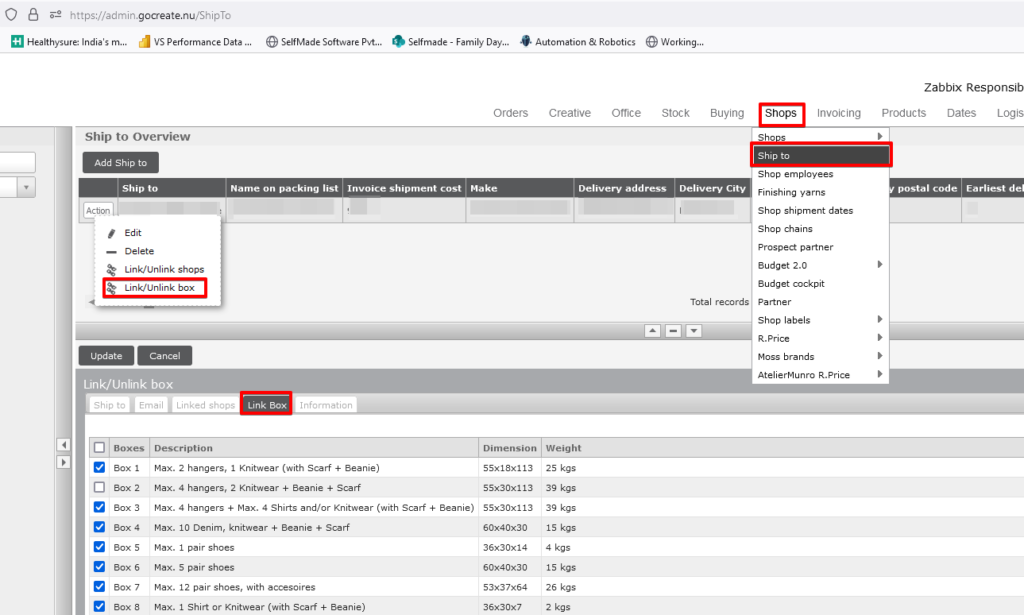
- Access the Ship To screen through the GoCreate Administrator login to enable the settings.
- Navigate to Shops -> Shop to -> Shop to overview -> Search for specific Ship to
- Selected Ship to -> via action menu -> Link/Unlink box.
- Connect the boxes on the same screen.
OR
- If needed, seek support from the Logistics Team to facilitate this process
- If needed permission are not present please contact with your Team Leader or IT Team.