Why filters are not updated in Style Overview for newly added styles ?
After adding new styles to the system, sign in to the GoCreate Administrator account.
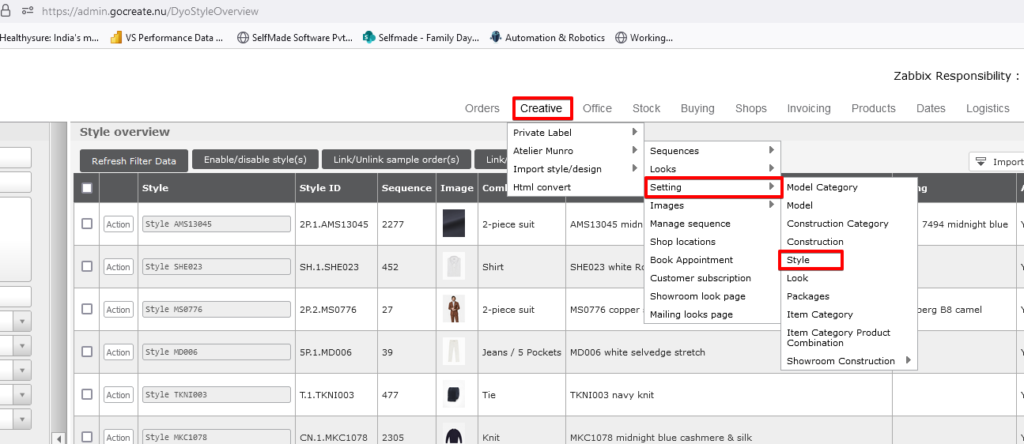
Then, navigate to Creative -> Atelier Munro -> Setting -> Style -> Style overview.
On this page, make sure to refresh the filter data by selecting the “Refresh Filter Data” button.
If you are unable to see this button, kindly reach out to your Team Lead to arrange the necessary permissions.