How do prepayment shops operate?
Definition # Prepayment shops are those that process orders once payment has been received from the customer.
The setting to designate a shop as pre-payment is as follows:
a) Login to GoCreate Administrator and navigate to Bill to page via Invoicing-> Credit Control-> Bill to.
b) Search the Bill To and via Action menu edit the record and check the option as pre-payment under Bill To tab.
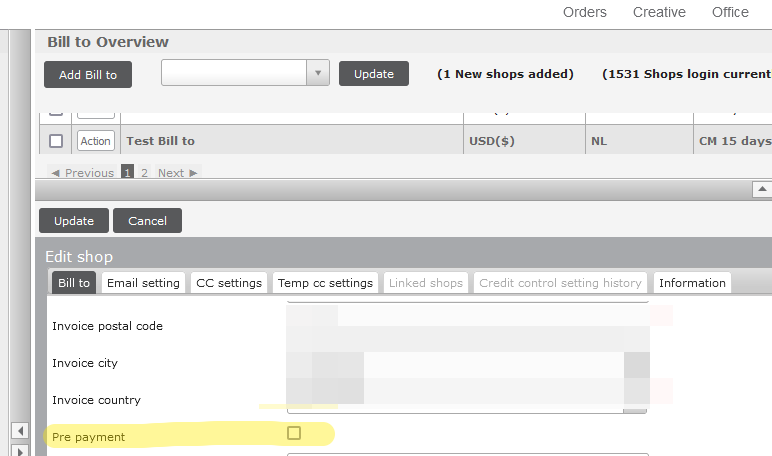
c) Once the settings are done, all orders CM/RM will be processed only after the Shop/Customer does the payment via Merchant account. Else the orders will be “on hold”.
c) Shop mics., Item requests, POS, Urgent Order cost, Shipment cast are all visible in shop login for the customer to pay.
Or
One can also contact finance team to get this setting done for a shop.