Why am I unable to find a certain combination in a CustomMade (CM) order, while it is accessible in a Ready Made (RM) order? Vice-versa
a) There are two types of settings: one at the combination level and other at the shop level.
b) Access GoCreate Admin, then go to Products -> Combinations. Search for the specific combination for which we need to enable CustomMade or ReadyMade order settings.
c) Choose the combination via by clicking on Action button and edit it, within the details section, enable the desired order type with name of file as “available for order type”.
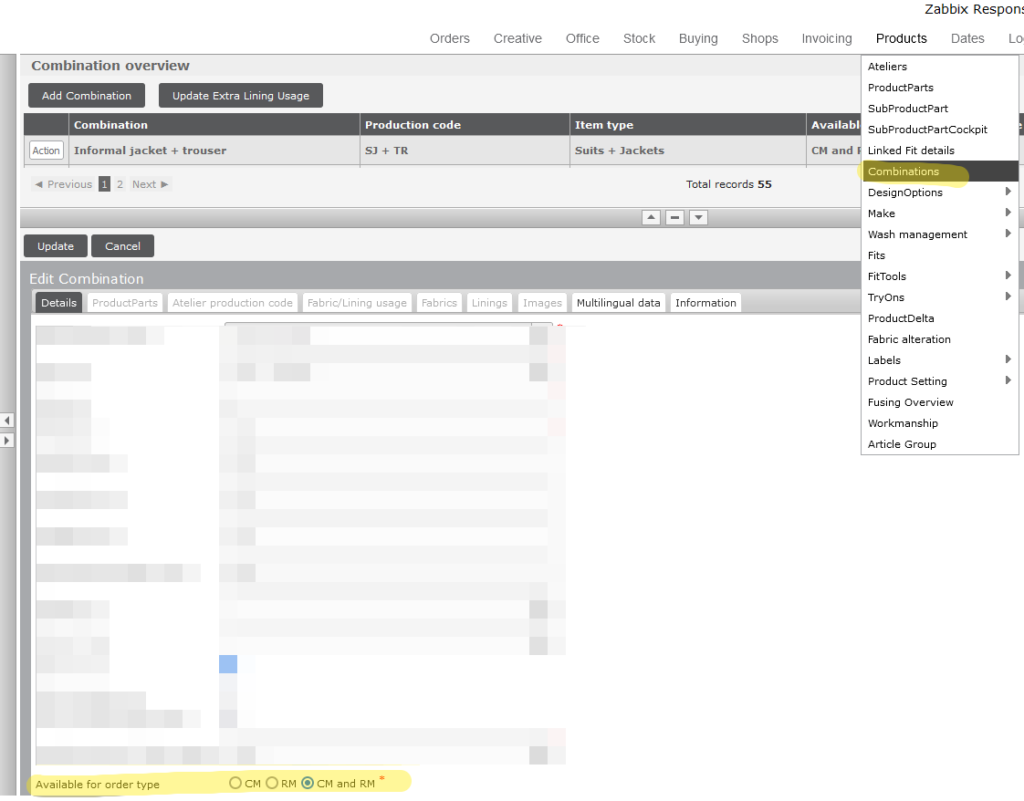
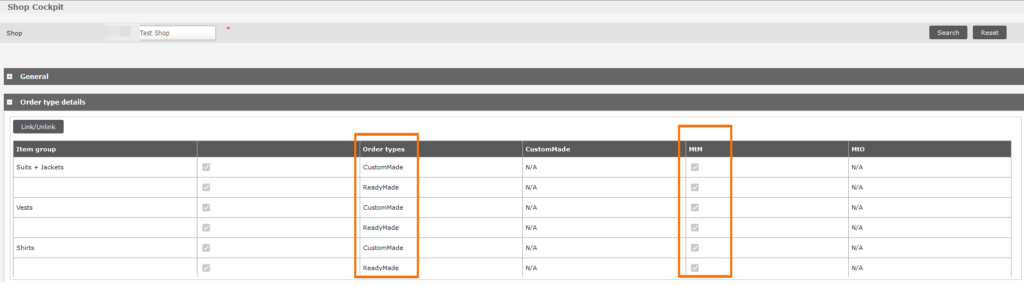
d) Depending on the Combination and Order Type settings, the selection will be visible in Shop -> Shop Cockpit -> Order Type settings. By checking the CustomMade or ReadyMade setting there, the shop will be able to create CustomMade or ReadyMade orders accordingly.
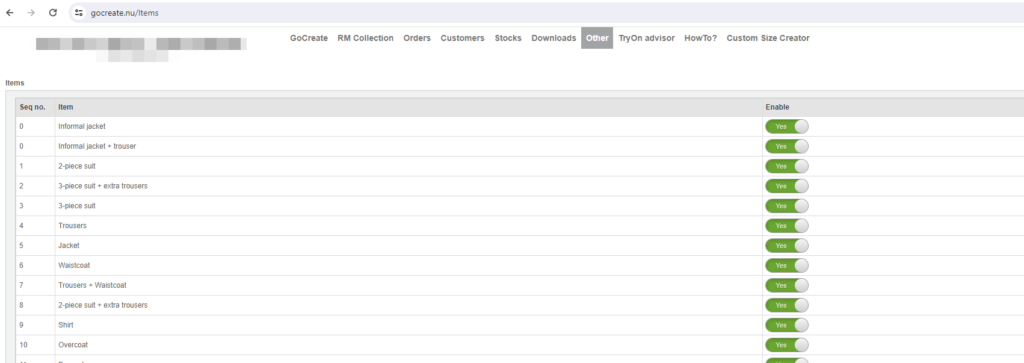
e) After Order Type is set at shop level, then Login via GoCreate Shop administrator user, and navigate to Others -> shop settings -> Items, and enable the setting as “yes” for that combination.
OR
To enable this permission you can get in touch with your COS or Team Lead.